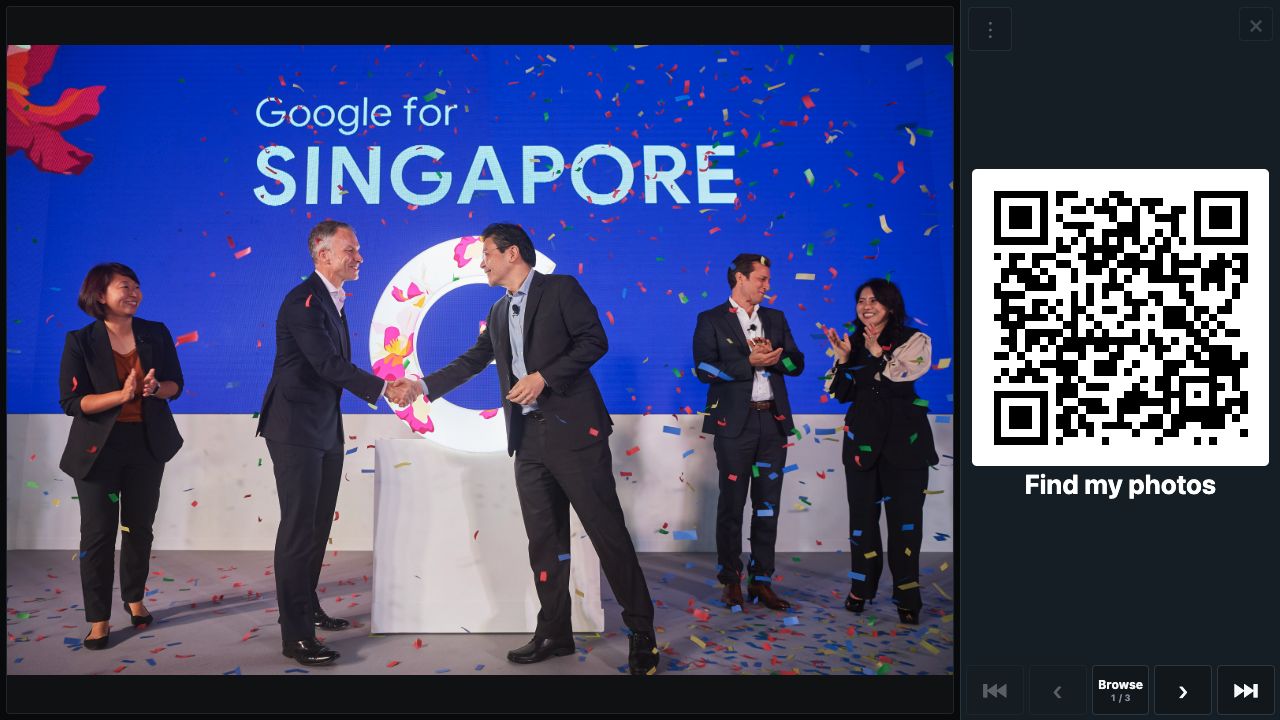
Guests can scan a QR code to find and download photos of themselves taken by the LiveStudios event photography team—straight to their phones. With LiveStudios, the QR opens a mobile web page. A guest can take a selfie or choose an existing photo for face matching, then tap a result to view, share or save it. There is no app to install.
This is not a QR code generator and it is not a shared album where guests upload photographs from their own phones. It is a delivery option for photographs captured by the LiveStudios event photography team.
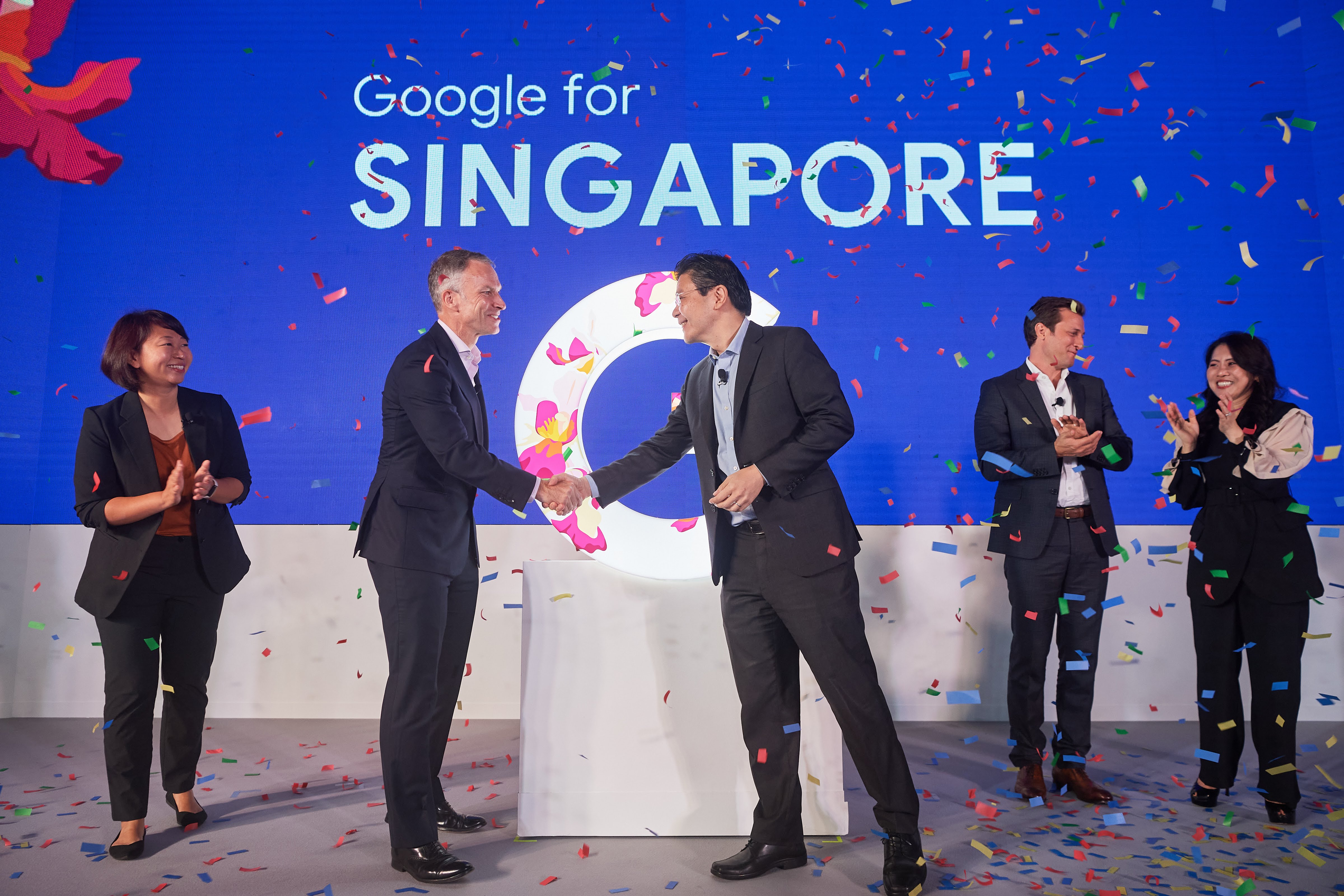
How QR Code Download works at an event
- LiveStudios photographs the event. The photographer covers the people, programme, branding and atmosphere in the same way as a normal event photography assignment.
- The event QR code is displayed. It can appear on a venue screen or event signage. The LiveStudios team can also carry a tablet around so guests can scan the QR code from the tablet.
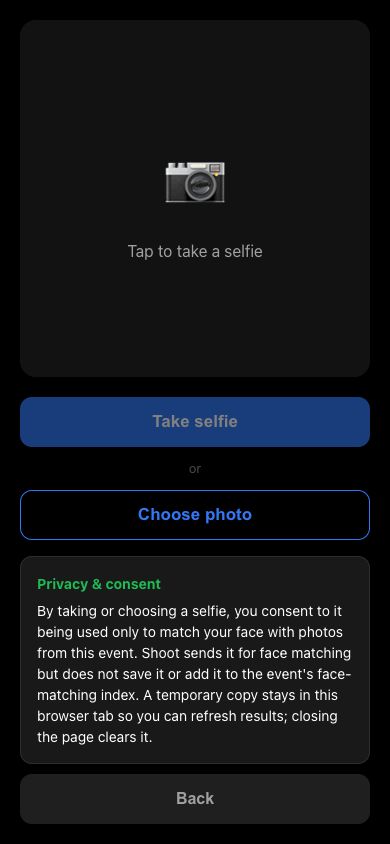
- The guest finds their photographs. The mobile page offers Take selfie and Choose photo. The selected image is used to find that face in photographs from the event.
- The guest shares or saves a result. Matching photographs appear in a personal results view. A guest can open a photograph and use Share / Save on their phone.
New photographs can be added while the event is running when this has been arranged. Guests can use Refresh results to check for later photographs instead of repeating the whole search.
What guests actually see
These are the current guest screens from LiveStudios’ Shoot event photography system.
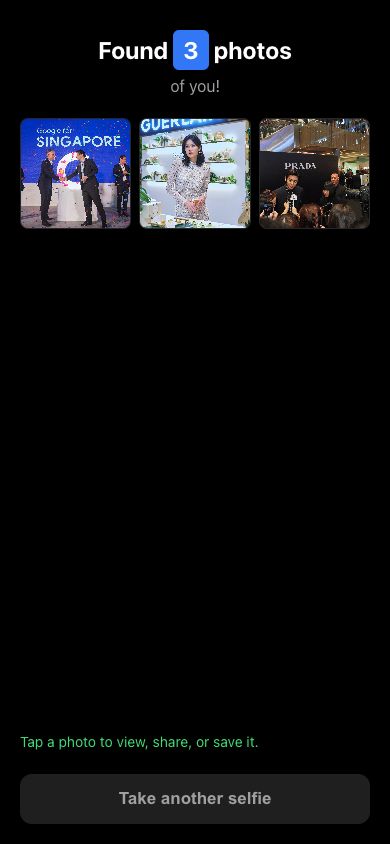
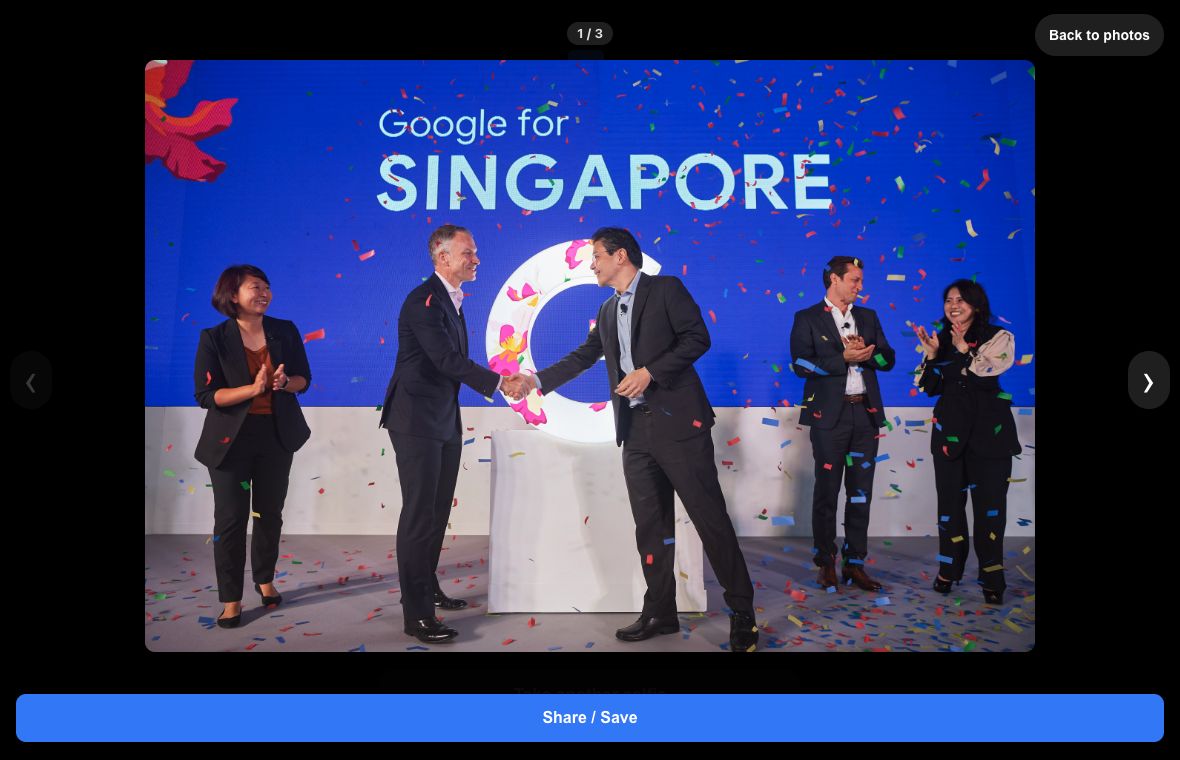
Find my photos or get this photo
The QR code can support two useful event moments:
- Find my photos: the QR opens the event photo finder so a guest can search for all available photographs that match their selfie.
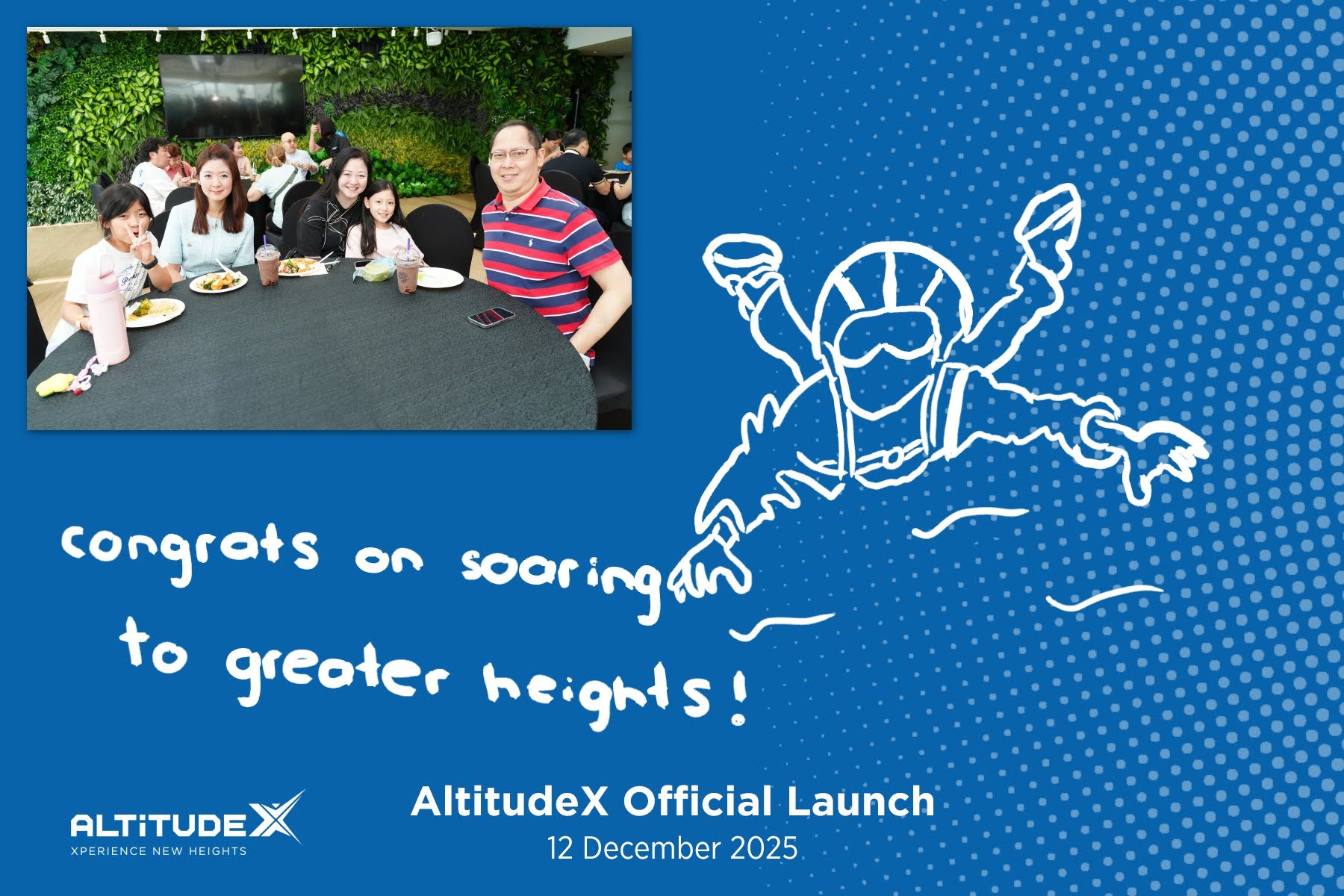
- Get this photo: when a particular photograph is being shown on a Pickup Display, the QR can open that photograph directly for the guest.
An event can also show both choices. The right setup depends on whether guests are mainly collecting a photograph they have just seen or searching across the event.
How this differs from a shared QR photo album
| QR Code Download by LiveStudios | Guest-upload QR album |
|---|---|
| Photographs come from the LiveStudios event photography team. | Guests contribute photographs from their own phones. |
| A selfie can help each guest find relevant professional photographs. | Guests usually scroll through one shared gallery. |
| The guest saves or shares a photograph taken by the event photographer. | The organiser collects photographs taken by attendees. |
Both approaches can be useful, but they solve different problems. LiveStudios’ service is for organisers who want guests to receive the professional photographs being created for the event.
Events where QR photo retrieval is most useful
QR Code Download is particularly useful when an event creates too many photographs for every guest to search manually. Examples include:
- Company dinner and dance events and gala dinners.
- Conferences, exhibitions and networking events.
- Award ceremonies and customer appreciation events.
- Product launches, roadshows and brand activations.
- Large weddings and social celebrations.
It can be used alongside Live Projection, so guests see photographs on the venue screens and then retrieve photographs on their phones. It can also complement Instant Prints when an event wants both physical keepsakes and digital sharing.
Privacy and face matching
The guest page displays a privacy and consent notice before a selfie is taken or chosen. The notice explains that the selfie is used only to match the guest’s face with photographs from that event. Shoot sends the selfie for face matching, but does not save it or add it to the event’s face-matching index. A temporary copy remains in that browser tab so the guest can refresh the results; closing the page clears it.
Event organisers should tell LiveStudios about any internal privacy, access or signage requirements when requesting a quotation. LiveStudios can then plan the guest access mode and event notice with the organiser instead of assuming that every event should use the same settings.
What to plan before the event
- Where the QR will appear: venue screens, registration, table signage, a roaming tablet or another visible location.
- Which guest route is required: face search, browse-all access, a direct link to the displayed photograph, or a combination.
- When photographs should be available: during the event or as part of a later guest-sharing workflow.
- Any access or privacy requirements: for example, whether full-gallery browsing should be disabled.
QR Code Download is an event setup option, so include it when asking for the quotation. It does not replace LiveStudios’ normal client delivery: the organiser still receives the curated event photographs through a Google Photos gallery the next day. Same-day or during-event delivery is available by special request.
Questions about QR Code Download
Do guests need to install an app?
No. The QR code opens the guest flow in a mobile web browser.
Does the QR code contain the photographs?
No. The QR code opens the event-specific photo page. The photographs remain in the event system and are prepared for viewing, sharing or saving from that page.
Can guests download professional photographs during the event?
Yes, when during-event photo access has been requested and planned. Photographs become available as LiveStudios publishes them to the event system, and guests can refresh their results to check for later photographs.
Can guests find photographs without using a selfie?
A browsable event gallery can be enabled where appropriate. The organiser should request this access mode when planning the event.
Can the QR link directly to one photograph?
Yes. A Pickup Display can show a Get this photo QR for the photograph on screen, a Find my photos QR for the event, or both choices.
Is QR Code Download the same as Live Projection?
No. Live Projection puts photographs on the venue’s screens. QR Code Download puts available photographs on a guest’s phone. The two services can work together.
Is it the same as the next-day Google Photos gallery?
No. QR Code Download is a guest-facing event workflow. LiveStudios’ standard client delivery remains a curated Google Photos gallery the next day.
Ask about QR Code Download for your event
When contacting LiveStudios, include the event date, venue, guest count, photography hours and whether guests should find photographs during the event. Also mention where the QR can be displayed and whether guests should be able to browse the full event gallery.
Explore the package cost: Open our calculator with the Silver Package, Master Photographer and QR Code Download already selected. You can adjust the photographer tier, hours and other options to suit your event.
See the LiveStudios event photography service for photographer tiers and normal delivery, or contact LiveStudios for a quotation.